When you receive multiple test emails with the same content, it usually means that when syncing your data with ShopiMind, our system detected several languages set up in your store and possibly used in your customer communications.
So, if you’ve received the same test email several times, it’s probably because several languages are active in your store, but the associated versions (English, Spanish, others…) haven’t been translated or personalized yet.
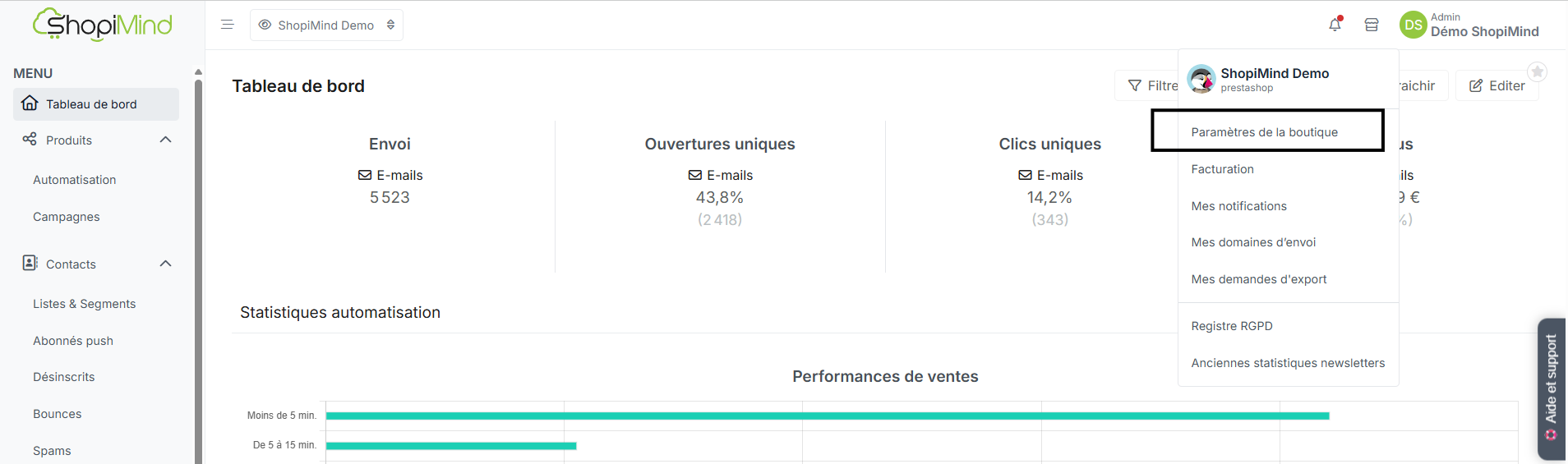
To add, remove, or change a language detected by ShopiMind, go to your store settings:
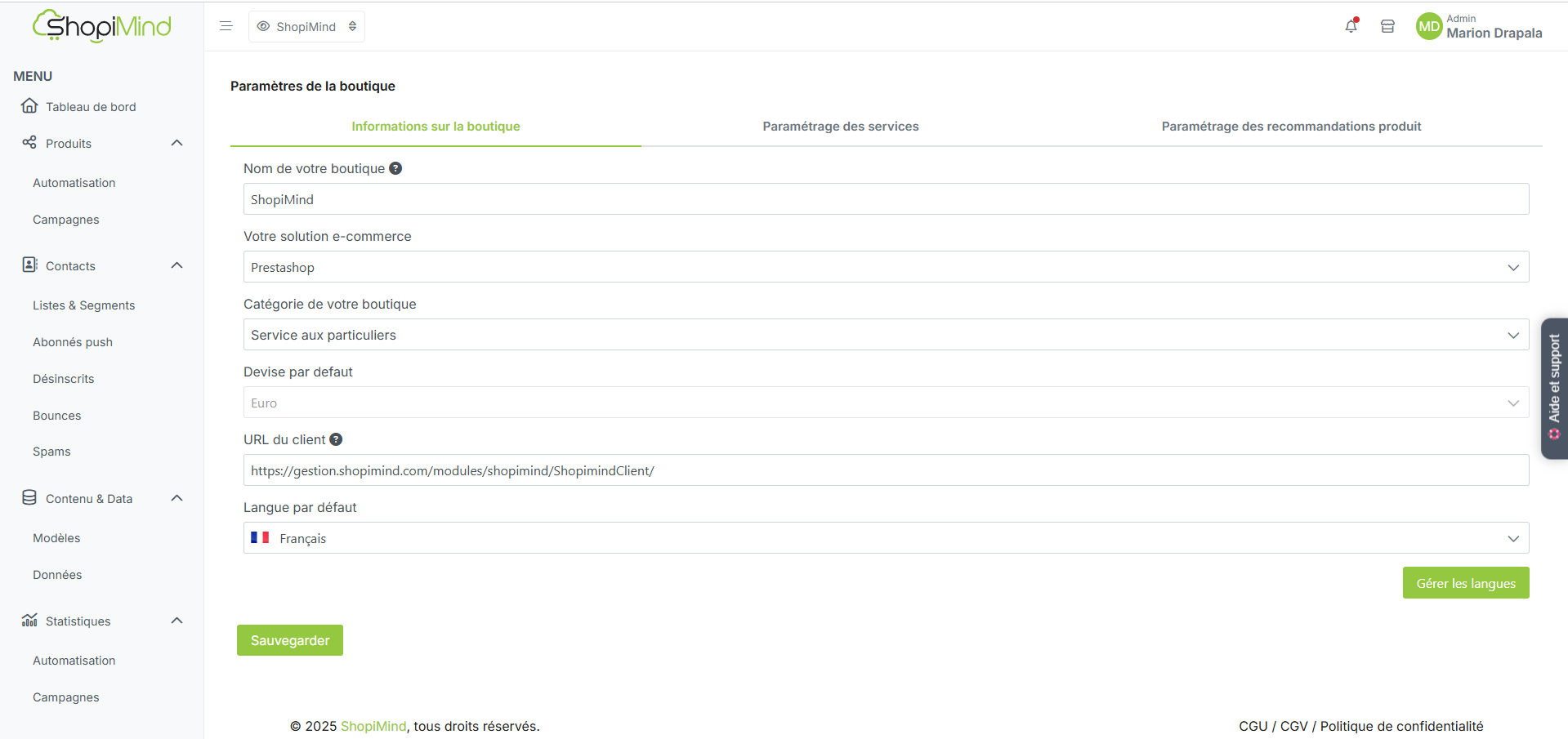
Then click the “Manage languages” button.
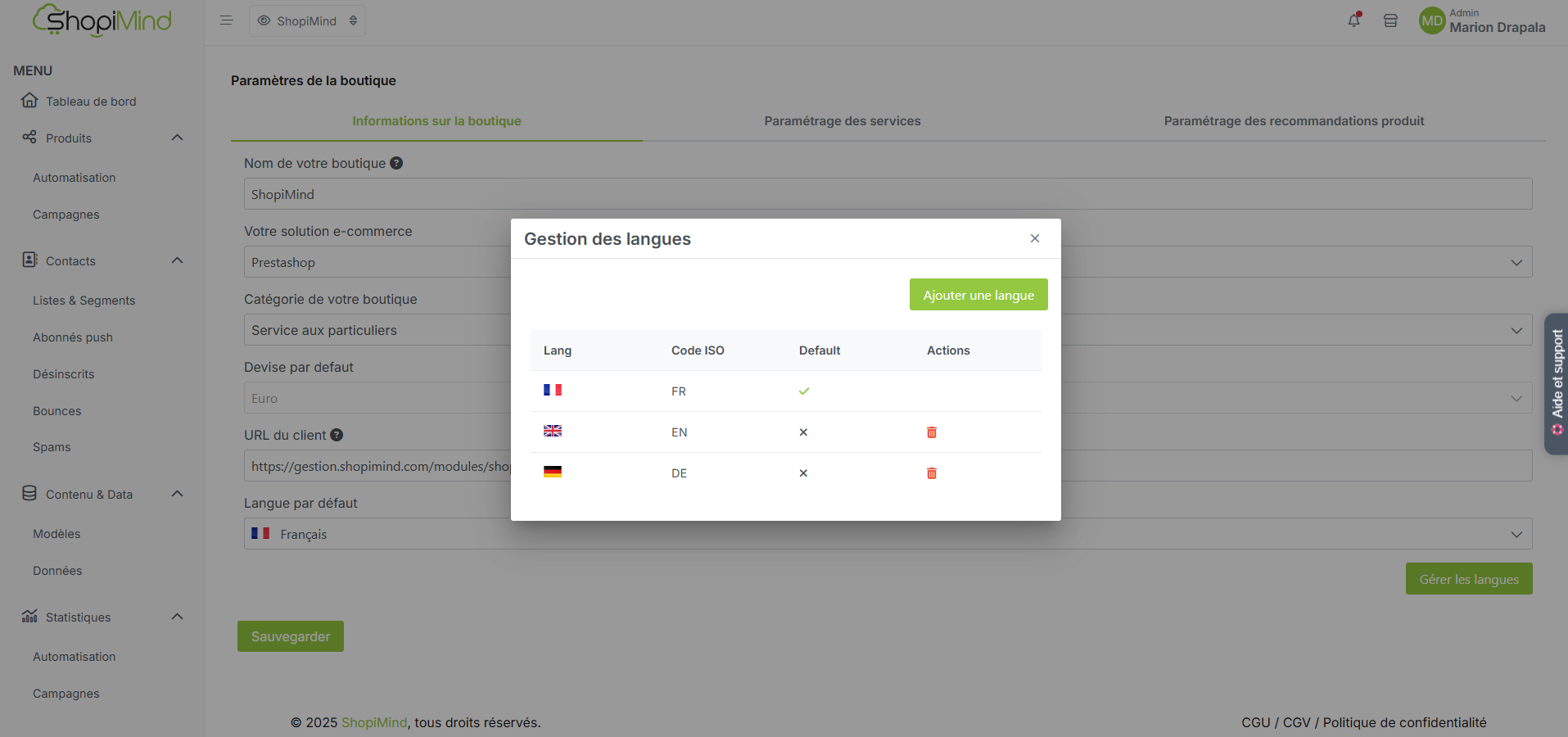
This way, you can add or remove a language as needed and find your selected languages in your message editors.
Now it’s your turn!
