For your new visitors, note that clear collection of consent regarding open tracking must be expressed through your signup pop-ins.
If you are using ShopiMind V4, here is the modification to make to your pop-in to ensure you comply with CNIL recommendations:
In the ShopiMind Pop-in editor, check the parameter "Include consent for open tracking (email)" by clicking the green checkmark.
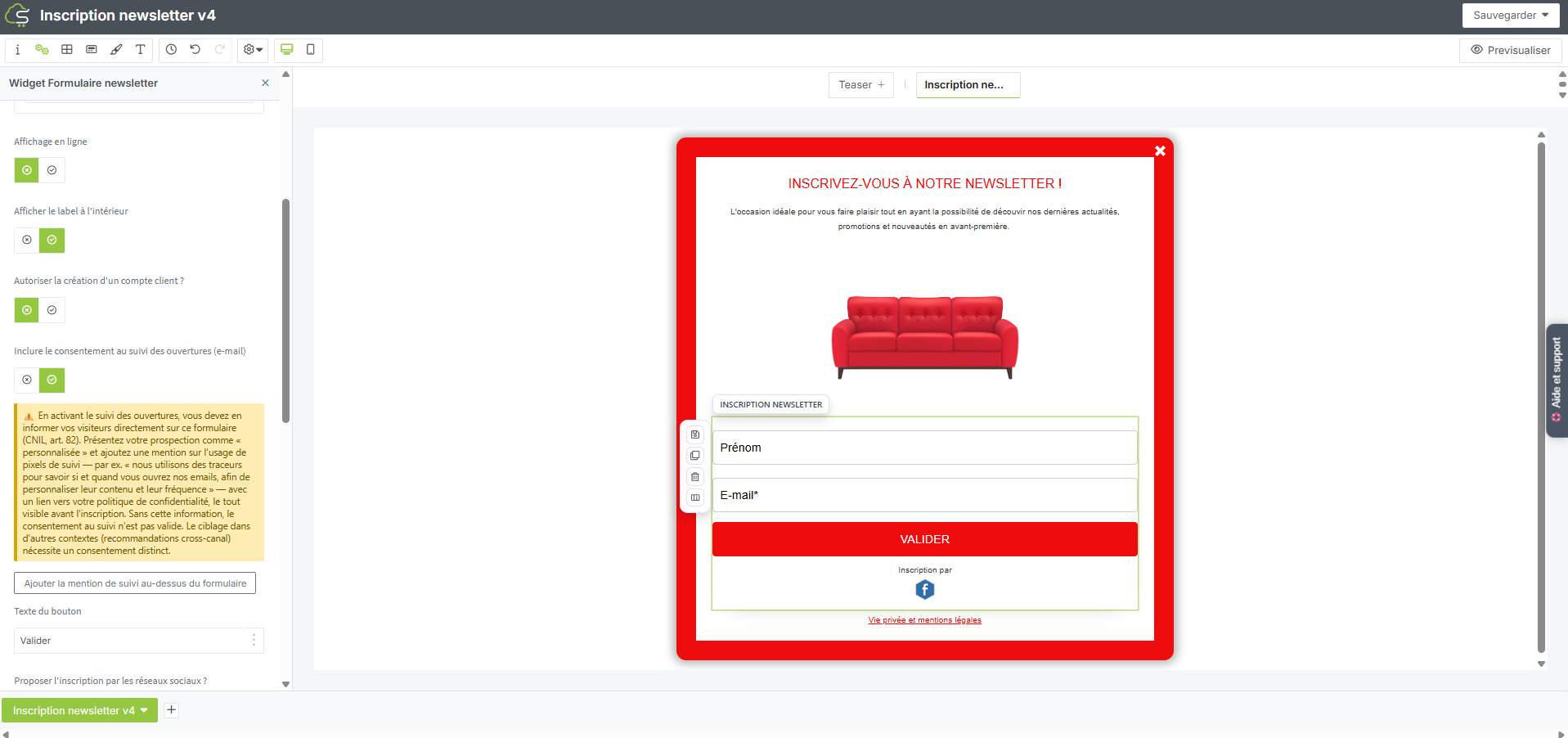
Then click the "Add tracking notice above the form" button so that a specific notice for this collection appears on your pop-in.
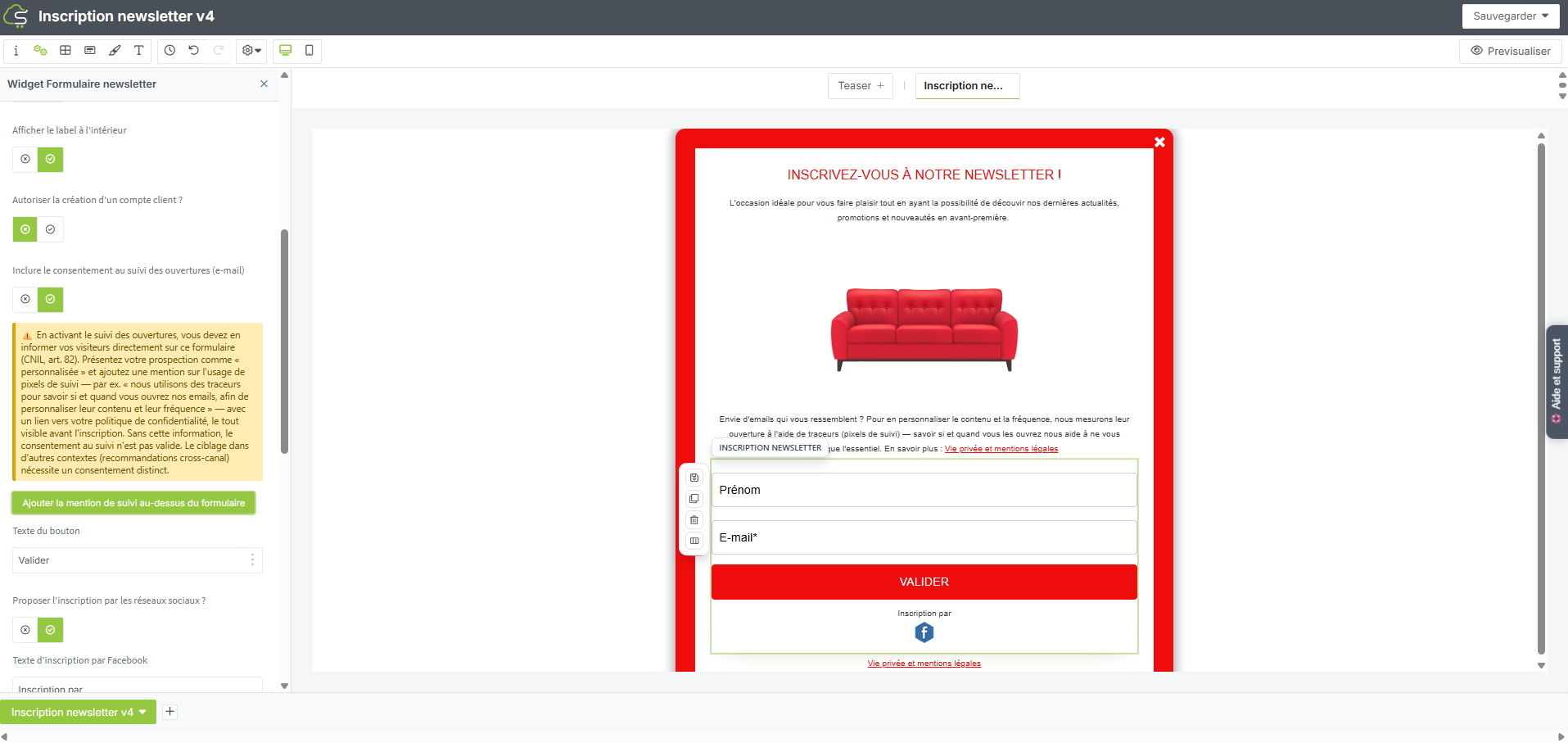
We recommend placing this notice above the form.
You can also find all the steps of this procedure through a step-by-step video:
Your turn!
