For your new visitors, note that clear collection of consent regarding tracking of opens must be expressed through your customer account creation pop-in.
If you are using the old version of the ShopiMind Pop-in editor, here is the modification to make to your pop-in to ensure you are in compliance with CNIL recommendations:
In the ShopiMind Pop-in editor, check the parameter "Include consent to tracking of opens (email)" by clicking on the green checkmark.
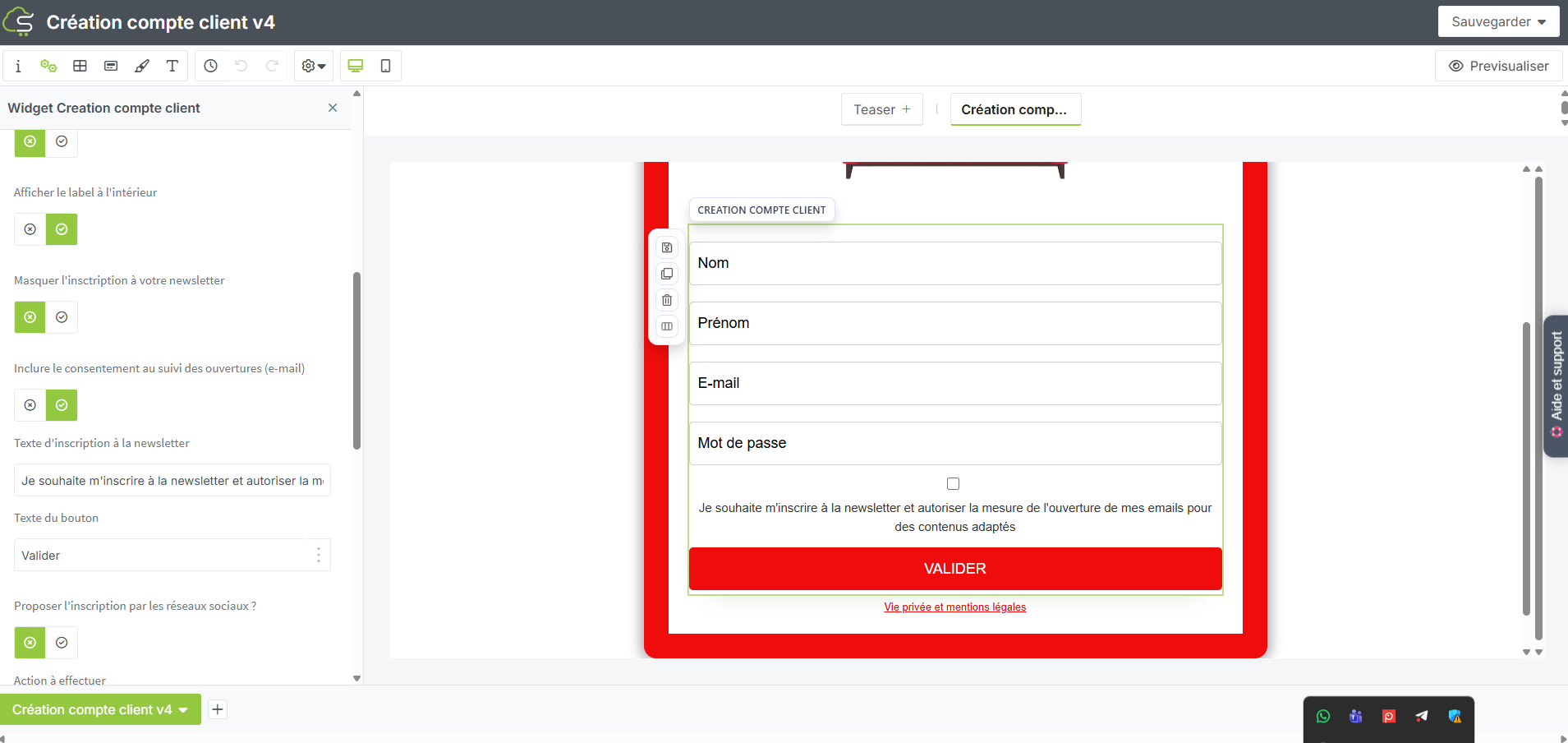
Once the green checkmark is clicked, the initial text proposing to also sign up for the newsletter is modified and adds a specific mention related to tracking of opens "I wish to sign up for the newsletter and authorize the measurement of the opening of my emails for tailored content".
The mention provided by default is in accordance with CNIL recommendations, but you can change this content as you wish according to your DPO's advice.
You can also find all the steps of this procedure through a step-by-step video:
Your turn to play!
